
Signs of Life Colonists Guide: Rooms, Jobs and Colony Setup
How the Signs of Life colony works: Pioneer Station computer, room requirements, colonist jobs, Pneumail storage and new-world requirements.
You need to finish the main story and reach a Pioneer Station operations computer. The station only generates on a new world created after Update 27.
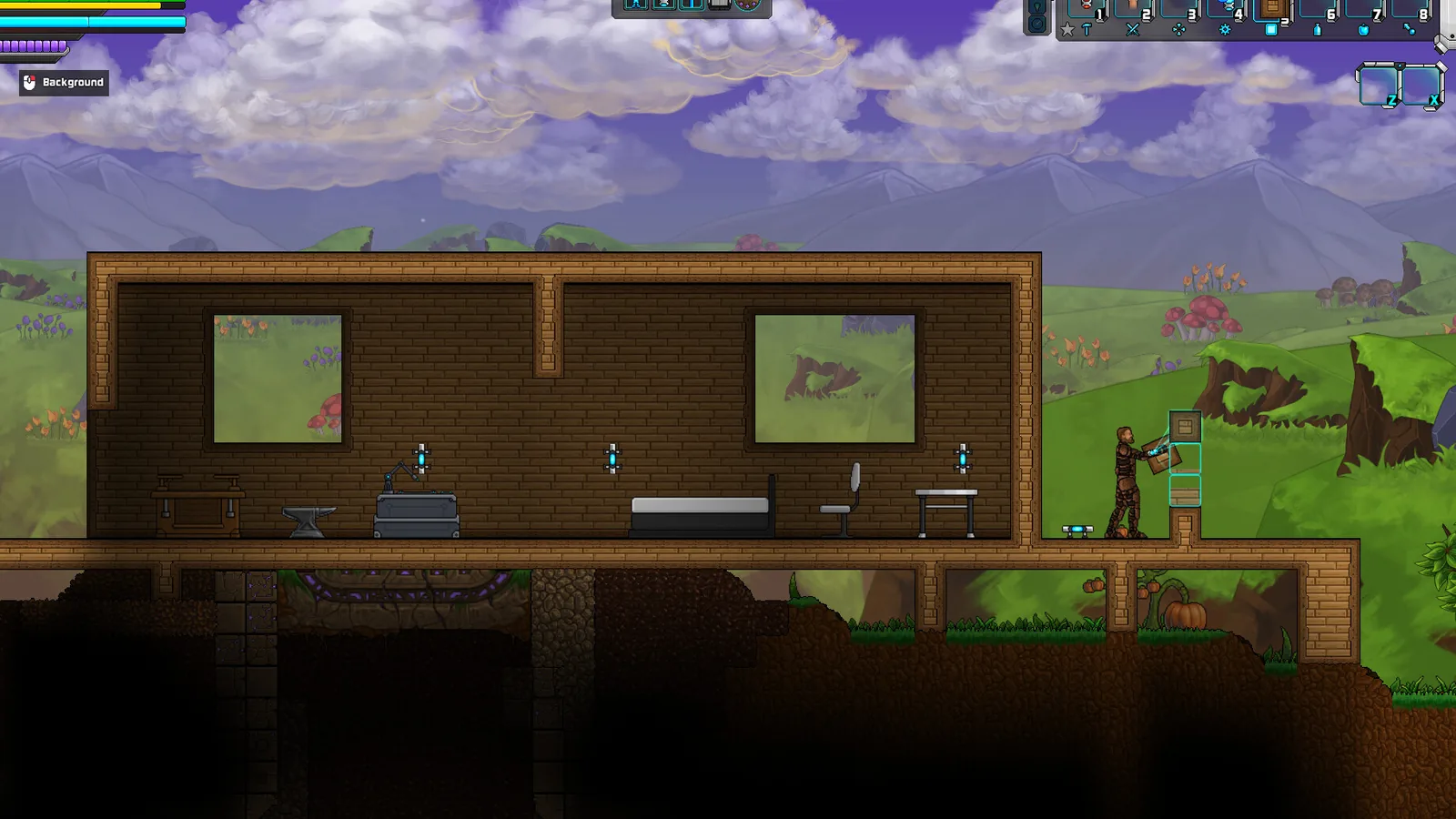
The colony system is the biggest addition in Signs of Life 1.0. It turns the end of the story into a management layer: thaw colonists, build valid rooms, assign jobs, and collect the output through Pneumail.
It is also the most poorly explained system in the game. The tutorial does not walk you through room validation or job priorities. This guide does.
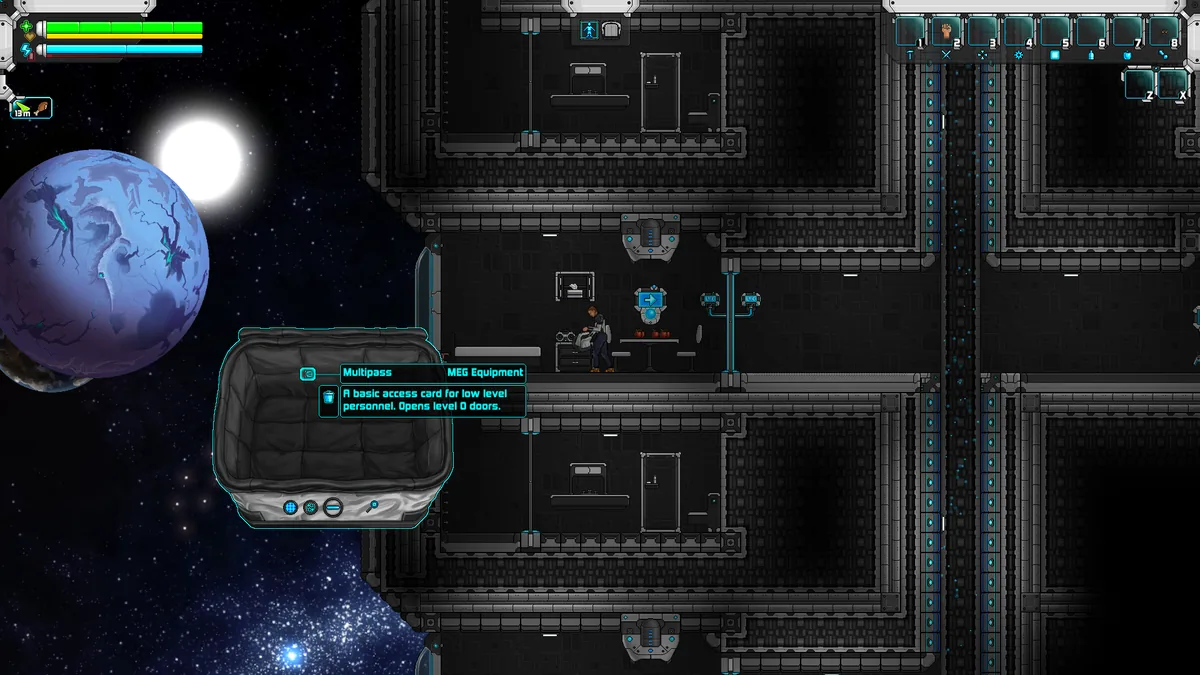
The post-game colony starts at a Pioneer Station.
Unlocking the colony
The colony unlocks after the main story. A Pioneer Station contains a powered operations computer. Interacting with it starts the colonist workflow.
Two conditions matter:
- You need a new world. The station and console generate on maps created after Update 27. An old save will not gain them.
- You need power. The operations computer is powered. If the station has no power, the colony interface will not function.
If you are returning to an old world and cannot find the console, that is expected. Start a fresh 1.0 world if colony management is the reason you came back.
Room requirements
Every colonist needs a valid room. The rules are strict:
- Interior at least 8 tiles wide and 4 tiles high.
- Interior no larger than 32 tiles wide and 16 tiles high.
- Background walls on the interior.
- At least one bed.
- A door or hatch.
- A working light.
- The room must be on Osiris, not on the Hephaestus.
A room that fails any one of these checks will not host a colonist. The most common failure is missing background walls; the second most common is a light that is not powered.
Build rooms specifically for colonists rather than converting a storage closet. An 8 by 4 room is the minimum, but a 12 by 6 room gives you space for a bed, a workstation and a walking path.
The job list
Colonists can be assigned to gather and produce:
- Plant gathering
- Hunting
- Wood collection
- Fruit, fungi and nut foraging
- Mining
- Clay collection
- Medicine
- Cooking
- Salad preparation
- Pottery
- Workshop production
- Smelting
- Chemistry
- Ammunition production
The list covers the full production chain from raw gathering to finished ammunition. You do not need every job running at once. Start with the inputs your base actually lacks.
A starter colony layout
Room 1: food
Assign one colonist to fruit, fungi and nut foraging and one to cooking. The forager feeds the cook, and the cook produces meals into Pneumail. If you have a salad recipe, add salad preparation later.
Room 2: metal
Assign one colonist to mining and one to smelting. The miner brings ore, the smelter turns it into ingots. Keep the room near your Blast Furnace; the faster furnace makes the job worthwhile.
Room 3: workshop
Assign one colonist to workshop production. This is the flexible room: it can make tools, parts or furniture depending on the recipe queue. Do not assign it until you have surplus ingots.
Room 4: chemistry and ammunition
This is the most power-hungry block. Build it after food and metal are stable. Assign one colonist to chemistry and one to ammunition production.
Room 5: medicine
A medicine room keeps the colony healthy. It is easy to postpone, but a colony with no medical production is one bad event away from a setback.
How output works
Colonists deposit produced goods into Pneumail shared storage. You do not need to visit each room to collect output. Withdraw from Pneumail at the colony and move goods to your main storage.
This is convenient, but it creates a new problem: overflow. If Pneumail fills with low-value items, you lose track of the good stuff. Set a routine:
- Withdraw finished goods after each play session.
- Move raw materials to dedicated chests.
- Keep ammunition and medicine in separate storage.
- Do not use Pneumail as your only storage.
Power and rooms
A colony room needs a working light, and the operations computer needs power. If the colony loses power, jobs stop. Build a backup battery for the colony block and keep it charged.
The power guide→ covers wireless batteries, fuel cells and power cores. The short version: do not run the colony from a single field battery.
Managing colonists
The game does not expose a deep personality system in the patch notes. Treat colonists as workers with jobs, not characters with needs. Assign them to the job that supports your current bottleneck, and reassign when the bottleneck moves.
A practical priority order:
- Food, if you are running low.
- Metal, if you are building or repairing.
- Ammunition, if you are defending the colony.
- Medicine, if colonists are getting injured.
- Workshop and pottery, once the basics are stable.
Do not assign every job on day one. A colony with ten jobs and no storage is chaos.
Co-op colonies
In co-op, the colony belongs to the host's world. The host must be online for jobs to run. Other players can use the colony and withdraw from Pneumail, but they cannot keep it running while the host is offline.
For a shared colony:
- Agree on who manages job assignments.
- Keep personal gear out of Pneumail.
- Give the colony its own power battery.
- Build rooms large enough for two players to move through.
Common colony problems
No operations computer. You are on an old save. Start a new world.
Colonist will not enter a room. Check size, background walls, bed, door and light, in that order.
Jobs are not producing. Check power, inputs and Pneumail space. A job with no materials produces nothing.
Pneumail is full of junk. Withdraw and sort. Do not let colony output become your only storage.
Colony stopped while playing co-op. The host is offline or the host's game is paused.
Is the colony worth it?
Yes, if you enjoy production chains. The colony turns the post-game into a small management game and gives your base a purpose after the credits. If you only want combat, you can skip it; the main story does not require colony optimisation.
The automation guide→ covers the machine side, and the ending guide→ explains how to reach the post-game.
Official source: Sweet Dog Studios, Update 27 patch notes (colony rooms, jobs, Pneumail) and the 1.0 release announcement, checked 10 November 2026.
Sources and further reading
- Update 27 patch notes ↗ - colony management details
- 1.0 release announcement ↗ - post-game scope
- Official wiki ↗ - structures and recipes
- Steam store page ↗ - game overview
FAQ
How do I unlock colonists in Signs of Life?
Finish the main story, reach a Pioneer Station and use the powered operations computer. The station must exist in a world created after Update 27.
Why can't I find the colony on my old save?
The Pioneer Station and operations computer only generate on new maps. Old saves do not gain them.
What can colonists produce?
Food, gathered plants, wood, ore, clay, medicine, cooked meals, pottery, workshop goods, smelted metal, chemicals and ammunition.
Do colonists need beds?
Yes. A valid colonist room requires at least one bed, background walls, a door or hatch and a working light.
Related Signs of Life Guides
Automate a Signs of Life base with turrets, Pneumail shared storage, drone accessories and post-game colonist jobs, without wasting power.
How power works in Signs of Life: wireless batteries, fuel cells, battery chargers, power cores and the colony's powered operations computer.
A spoiler-light Signs of Life ending guide: prerequisites, the bottom teleporter, the deep dungeon, the final sequence and what unlocks after credits.
Every major Signs of Life 1.0 change: the ending, Xenoid cities, colony management, rebalanced gear, controls and co-op fixes.
The Signs of Life achievement list with global unlock rates, the gemologist chain, the joke achievements and a practical completion route.
How the Signs of Life alien language works: scan inscriptions, build understanding, unlock Xenoid dialogue and extract seven archive records with AGIS.
More Signs of Life Guides
How armor works in Signs of Life, the best early and late sets, Ghost Hide and Energy Plate bonuses, mining suits and co-op gear priorities.
How base building works in Signs of Life: valid room sizes, walls, doors, lighting, station layout and the mistakes that waste materials.
Choosing a Signs of Life base location: ore access, flat ground, biome hazards, story travel and the best spots for a first or late-game base.
Practical Signs of Life tips for new players: scan everything, manage stamina, build one good room, and avoid the early base traps.
A tour of Signs of Life biomes: grasslands, purple alien terrain, caves, ruins, Xenoid cities and the late-game New Earth areas.
The major Signs of Life boss fights, the order to attempt them, gear checks and arena tips, plus a pointer to the Buff Mechington Mk2 strategy.
How to beat Buff Mechington Mk2 in Signs of Life: the glowing weak points, head-tail-chest order, the three-second chest window and co-op tactics.
How Signs of Life co-op works: Steam friend hosting, drop-in play, character transfer, shared storage, PvP settings and role splits for two players.